Your irrigation controller is a black box. It runs a schedule someone programmed years ago, has no remote access, no monitoring, and no way to tell you that zone 3 has been running twice as long as the others because a sprinkler head is clogged. When it fails, you find out by looking at a dead lawn or a flooded garden bed.
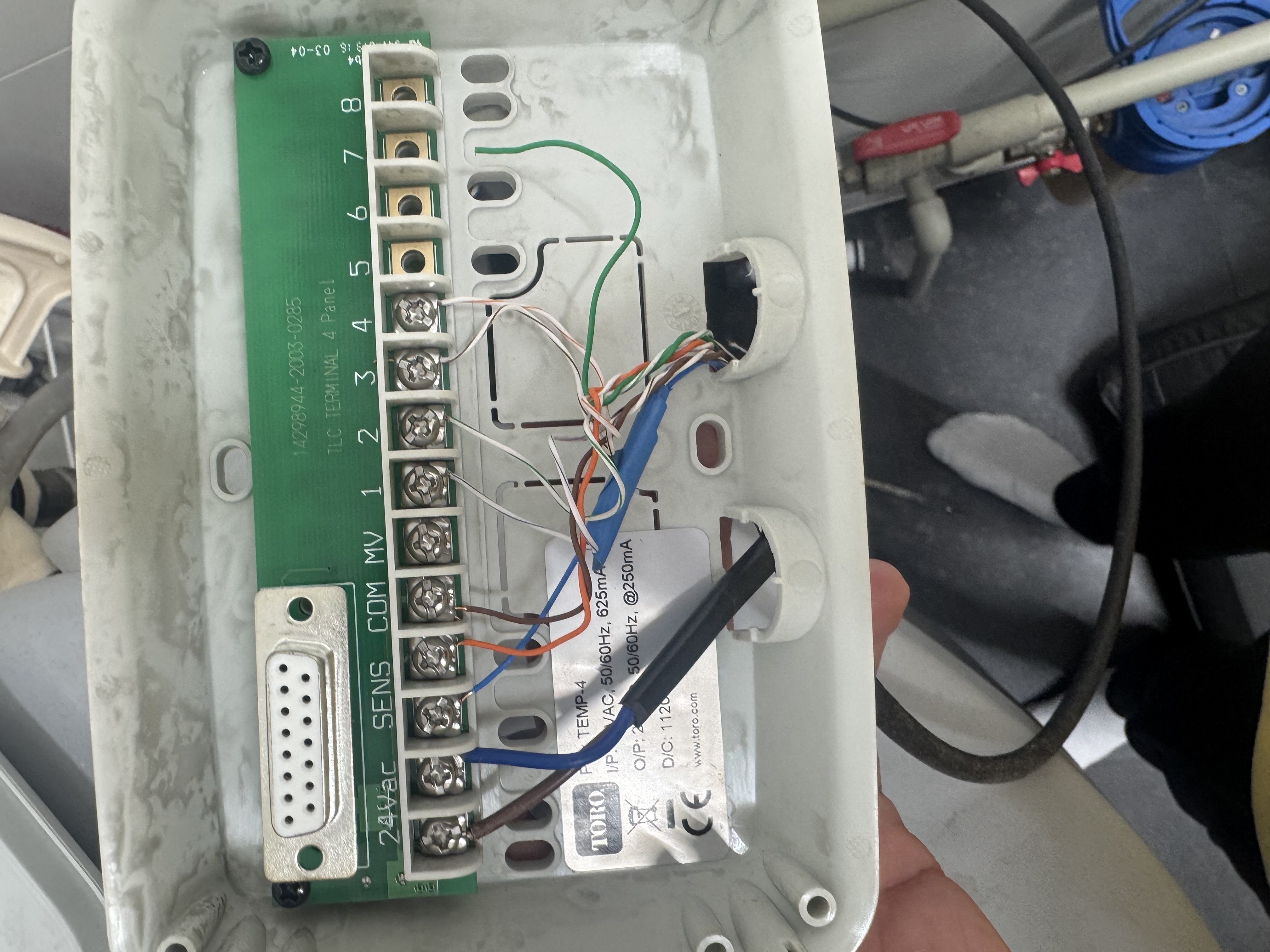
I’ve been running a Toro Temp-4 for years. It works — but it’s a dumb timer with no integration, no telemetry, and no way to react to weather conditions in real time. When I started building out my Home Assistant setup, replacing it was an obvious next step.
Here’s what I built — and more importantly, what safety guarantees the firmware provides when your WiFi goes down or Home Assistant crashes mid-cycle.
The Hardware #
| Before | After |
|---|---|
|
|
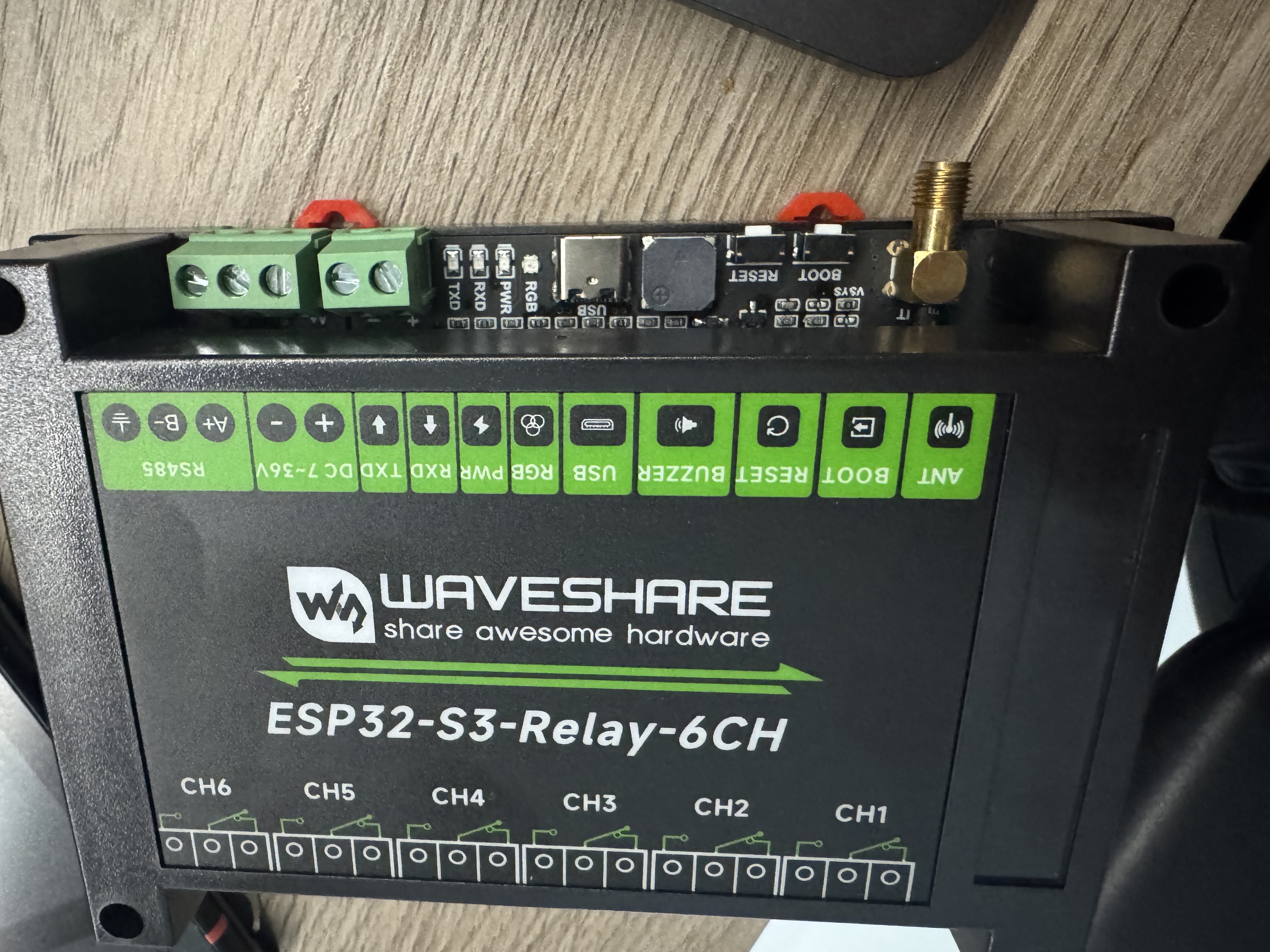
The Waveshare ESP32-S3-Relay-6CH is a 6-channel relay board built around the ESP32-S3 with optically isolated relays rated at 10A/250V AC. It runs ESPHome, connects to Home Assistant over WiFi, and costs about the same as a basic smart plug.
Key specs:
- MCU: ESP32-S3-WROOM-1U-N8 (dual-core 240 MHz, 8MB flash)
- Relays: 6x optocoupler-isolated, 10A/250V AC per channel
- Power: 7-36V DC (screw terminal) or 5V USB-C
- Interfaces: RS485, WS2812 RGB LED, passive buzzer, SMA antenna connector
- Extras: 40-pin Pico-compatible header for additional GPIO
I only need 4 of the 6 channels — one per irrigation zone. The remaining two are available for future expansion.
The Wiring #
This is the part that confused me the most. The Toro system hides the complexity inside a single enclosure — one transformer powers both the controller logic and the valve solenoids. With ESP32, these are two separate circuits:
- ESP32 power — USB-C charger (5V) or DC power supply (7-36V)
- Valve power — the existing Toro 24V AC transformer
The Toro transformer outputs 24V AC — alternating current. The ESP32 needs DC. You can’t use one to power the other without a rectifier, so the simplest approach is a USB-C phone charger for the ESP32 and the Toro transformer exclusively for the valves.
Relay Terminal Layout #
Each relay channel has three screw terminals:
NO  — Normally Open    (connect valve wire here)
COM — Common           (connect transformer here)
NC  — Normally Closed  (leave empty)
If you accidentally wire to NC instead of NO, the valve will be open by default and close when activated — the opposite of what you want. Nothing burns, it just behaves backwards.
Step by Step #
- Bridge COM terminals across CH1-CH4 with short jumper wires (ethernet cable works fine — strip ~5mm of insulation)
- Connect one transformer wire to any COM terminal (they’re all bridged)
- Connect the other transformer wire to the common valve wire from the garden
- Connect each zone wire to the NO terminal of its channel
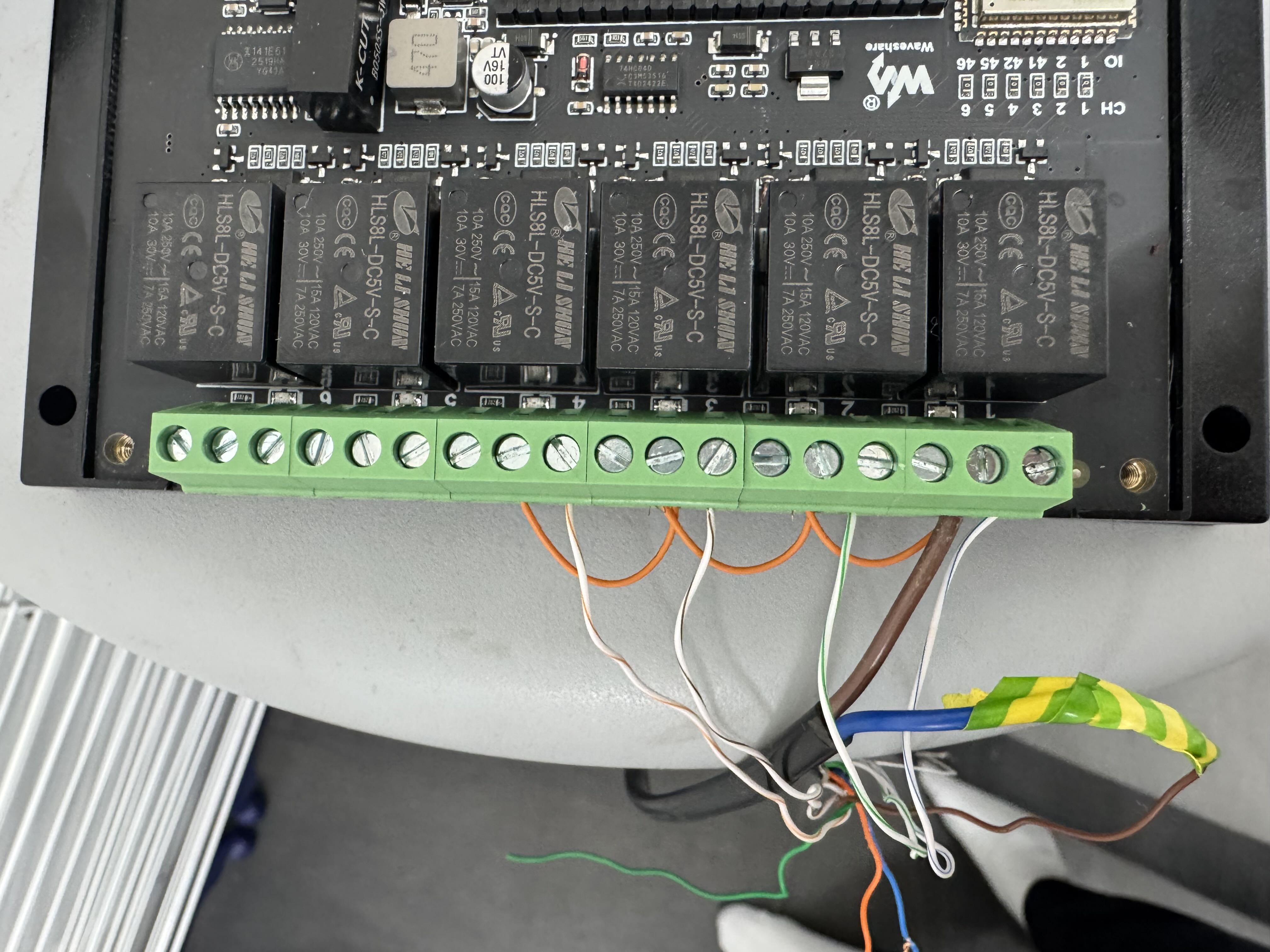
The rain sensor connects to GPIO4 + GND on the Pico header using dupont connectors — it’s a simple NO contact with no polarity.
The Firmware #
The full ESPHome configuration is in the GitHub repo. Here I’ll focus on the design decisions that matter.
Interlock — One Zone at a Time #
A 24V AC/625mA transformer can’t reliably drive multiple solenoid valves simultaneously (each draws ~200-300mA). The firmware enforces a hardware-level interlock:
|
|
The interlock_wait_time: 2s gap gives the closing valve time to fully shut before the next one opens — protecting the transformer from momentary double current draw. The YAML anchor (&interlock_group / *interlock_group) keeps this DRY across all four zones.
Auto-Off with Restart-Safe Timers #
Every zone has a configurable maximum runtime (default 30 minutes, adjustable from HA via a slider). The naive approach — an inline delay in on_turn_on — has a subtle bug: if someone turns a zone off and back on before the original delay expires, you get two parallel timers. The second timer fires at the originally scheduled time, cutting the zone short.
The fix is a script with mode: restart:
|
|
Each on_turn_on calls script.execute, which restarts the timer cleanly. on_turn_off calls script.stop to cancel it. No race conditions, no double-fire.
The max runtime value lives in a number template with restore_value: true — it persists across reboots and is adjustable from Home Assistant without reflashing:
|
|
Rain Sensor — Firmware-Level Kill Switch #
Most Home Assistant irrigation setups handle rain detection through an automation. That works — until HA goes offline. The rain sensor logic runs directly on the ESP32:
|
|
The asymmetric debounce is intentional — detect rain fast (500ms), but don’t clear the alarm until it’s genuinely dry (5s). The LED turns blue and the buzzer sounds. An additional HA automation sends a push notification as a secondary layer.
WiFi Independence #
|
|
By default, ESPHome reboots after 15 minutes without WiFi. With reboot_timeout: 0s, the device keeps running — the active zone finishes its cycle, auto-off still works, interlock still works. Everything that matters runs locally.
A web_server on port 80 provides a local control panel accessible from any browser on the LAN. If Home Assistant is down, you can still toggle zones and check sensor state at http://<device-ip>.
Runtime Counters #
|
|
Total runtime per zone, persisted across reboots. If zone 3 accumulates significantly more hours than the others over a season, something is wrong — a clogged nozzle, a stuck valve, or a misconfigured schedule. This is free diagnostics from a few lines of YAML.
Safety Summary #
Every safety mechanism runs on the ESP32 firmware. No WiFi, no Home Assistant, no cloud — just the microcontroller and the relay board.
| Protection | How | Needs HA? | Needs WiFi? |
|---|---|---|---|
| One zone at a time | interlock + 2s wait |
No | No |
| Max runtime auto-off | script: mode: restart |
No | No |
| Rain sensor kill switch | on_press → turn off all |
No | No |
| Safe boot state | restore_mode: ALWAYS_OFF |
No | No |
| WiFi loss resilience | reboot_timeout: 0s |
No | No |
| Fallback AP | Captive portal hotspot | No | No |
| Local web UI | web_server: port: 80 |
No | Yes (LAN) |
| WiFi recovery | improv_serial |
No | No (USB) |
What Home Assistant Adds #
HA provides the scheduling layer, dashboards, and notifications — things that are nice to have but not critical:
- Morning schedule automation: runs zones sequentially at 6:00, 15 minutes each, skips if rain sensor is active
- Rain guard automation: notification when rain is detected (firmware already handled the shutoff)
- Dashboard: zone toggles, runtime slider, sensor readings, total runtime counters
- History: graphs of zone activity, rain events, WiFi signal over time
Source #
Full configuration, documentation, and wiring diagrams: github.com/us3r/garden-irrigation-system
