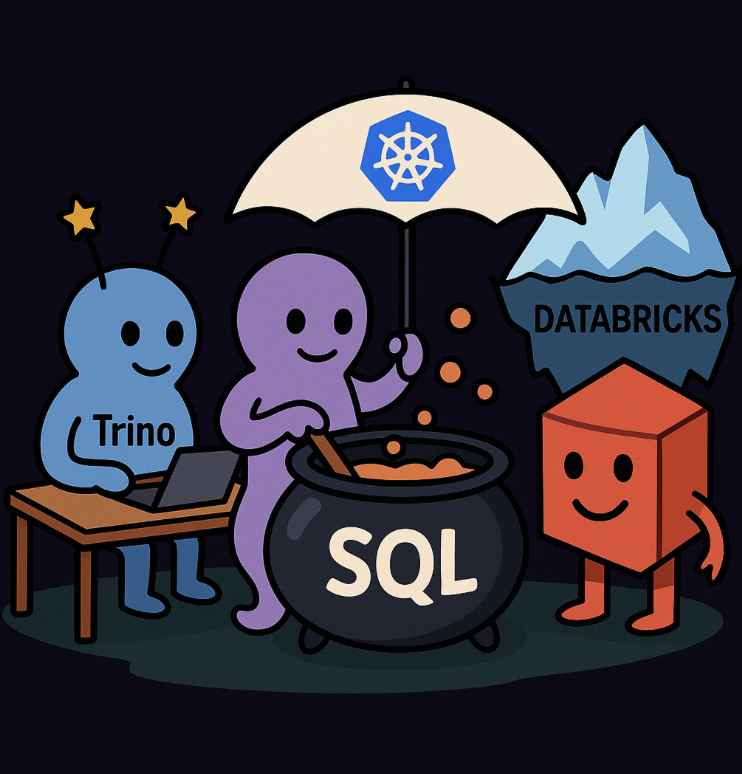
It seems to me that many people either overlooked or don’t fully realize the benefits of using Uniform on Databaricks. Universal Format, allowing apache iceberg clients to read data from Delta Lake tables without requiring format conversions or data duplication.
By embracing Apache Iceberg REST Catalog API in Unity Catalog, it allows enterprises to decide about query engine. You decide where the compute runs, and UC ensures that governance remains consistent.
Pre-requirements for Trino #
To make your Databricks tables readable via Trino you need to:
-
Enable Delta Uniform on your table.
This transforms native Delta Lake metadata into Iceberg-compatible metadata.
Trino (and any other Iceberg client) can then read the table seamlessly. -
Enable External Data Access for your Unity Catalog.
This allows non-Databricks tools (like Trino) to connect via the UC REST API.
This means you can take advantage of row-level deletes, updates, and advanced schema evolution.
However, not all engines support every Iceberg v2 feature yet. Trino supports most v2 functionality, so you can safely use it.
Additional Table Properties #
When converting or creating tables, you may also encounter these parameters:
|
|
- enableIcebergCompatV2 = true → ensures that the table writes Iceberg v2 compatible metadata.
- feature.icebergCompatV2 = supported → signals to UC and connected clients that Iceberg v2 features are supported for this table.
- universalFormat.enabledFormats = iceberg → instructs Delta Uniform to maintain Iceberg metadata alongside Delta metadata.
Together, these properties guarantee smooth interoperability between Databricks, Unity Catalog, and Trino.
1. Starting Local with Podman #
We begin with Podman, because:
- It’s rootless (you don’t want your laptop blowing up because you gave Docker root privileges).
- It’s lightweight (easy to nuke & restart, just like a bad Tinder date).
- Perfect for local dev before we go all enterprise with Kubernetes.
|
|
Check the UI at 👉 http://localhost:8080
If you see the Trino web console, congrats: you now have a SQL engine running locally without paying anyone a dime.
2. Wiring Trino to Unity Catalog #
Inside Trino, you’ll need a catalog configuration. In a real install this lives at /etc/catalog/uc.properties.
For Podman, you can mount a local config into the container:
|
|
👉 Translation: Trino will fetch metadata (schemas, policies, snapshots) from Unity Catalog, but when it comes to reading the actual data, it will go directly to S3/ADLS where your Iceberg files live.
This is the magic: governance + security from UC, freedom + performance from Trino.
3. Defining Tables in Unity Catalog #
Let’s create a table in UC (via Databricks SQL or API):
|
|
UC now manages:
- schema,
- access policies,
- and snapshot/versioning metadata.
But your actual files are still open Iceberg format on S3/ADLS.
Converting an Existing Table to Delta Uniform #
If you already have a managed or external Delta table in Unity Catalog, you can modify it so that Trino (via Iceberg connector) can read it.
This is done by altering the table properties.
|
|
👉 The key is:
|
|
Once applied, Unity Catalog automatically maintains Iceberg metadata alongside Delta metadata.
From this point, Trino can discover and query the table via the UC REST catalog.
4. Querying from Trino #
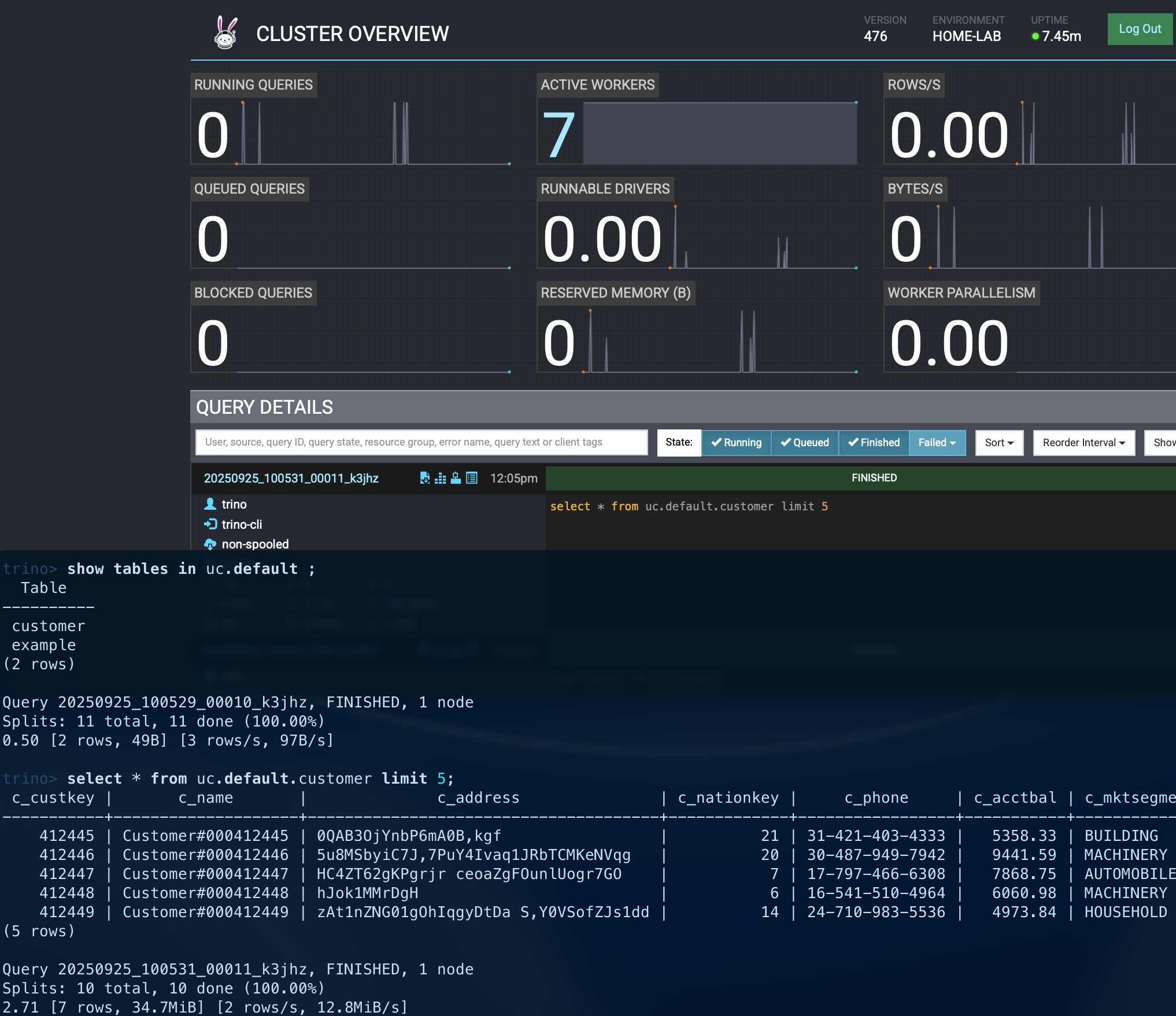
Let’s run queries from Trino (CLI or BI tool):
|
|
✅ Example Result #
5. How This Actually Works #
a) Architecture Flow #
flowchart LR
subgraph Clients["SQL Clients / BI / CLI"]
user1[BI Tool / Notebook]
end

user1 --> trino[(Trino Cluster)]

subgraph Trino["Trino"]
direction TB
connIceberg["Iceberg_Connector(catalog=uc)"]
trinoAuth["AuthN/AuthZ to UC\n(OAuth/OIDC/SPN)"]
trino --> connIceberg
trino --> trinoAuth
end

subgraph UC["Unity Catalog"]
direction TB
ucPolicy["Policies / RBAC\n(Catalog/Schema/Table/Column)"]
ucMeta["Metastore\n(tables, schemas, manifests)"]
trinoAuth --> ucPolicy
connIceberg --> ucMeta
ucPolicy --- ucMeta
end

subgraph DataLayer["Object Storage + Iceberg"]
storage[(S3 / ADLS / GCS)]
tblA[(Iceberg Table A\n.parquet)]
tblB[(Iceberg Table B\n.parquet)]
ucMeta -.-> tblA
ucMeta -.-> tblB
tblA --- storage
tblB --- storage
end

connIceberg --> storage
b) Query Lifecycle #
sequenceDiagram
autonumber
participant C as Client (BI/CLI)
participant T as Trino (Iceberg Connector)
participant UC as Unity Catalog
participant S as Object Storage
participant X as Alluxio (optional)

C->>T: SELECT ... FROM uc.catalog.table
T->>UC: Check RBAC + fetch metadata
UC-->>T: Schema, snapshots, locations
opt Alluxio cache
T->>X: Request data
X->>S: Fetch parquet blocks (if cache miss)
S-->>X: Data
X-->>T: Return cached data
end
T->>S: Read Parquet splits
S-->>T: Columnar data
T-->>C: Query results
6. Scaling Up to Kubernetes #
Now, Podman is cute for dev, but in prod you want K8s. Why?
Because running serious Trino queries in Podman is like running a marathon in flip-flops: possible, but unwise.
In Kubernetes:
a) ConfigMap for Catalogs #
|
|
b) Secret for Credentials #
|
|
c) Deployment #
|
|
👉 This way, your UC catalog settings are mounted from a ConfigMap, and secrets are injected safely.
K8s does the heavy lifting: scaling, rolling updates, self-healing.
7. Why This Rocks (and Vendor Lock-in Therapy) #
-
Governance + Freedom
Unity Catalog gives you RBAC + policies, but you don’t have to run queries on their warehouse. -
Open Formats
Iceberg = no proprietary lock. Your parquet/ORC data is forever yours. -
Multi-engine Love
Spark, Trino, Flink, Presto, pandas - all read Iceberg. Use the right tool at the right time. -
Save $$
Trino on K8s means you avoid paying vendor compute tax just to doSELECT *. -
Future-proof
Change clouds, keep your data.
Think of it like a relationship where you keep the Netflix account in your own name.
UC is the rules, Trino is the fun, Iceberg is the solid base. And you? You’re the one not locked in. 😏
8. Wrap-up #
- Start simple with Podman for local experiments.
- Scale to Kubernetes in production.
- Let Unity Catalog govern.
- Keep Iceberg tables in open storage.
- Run Trino anywhere, anytime.
Freedom + governance = best of both worlds 🌍.
